Best AI Coding Agents in 2026: The Definitive Guide
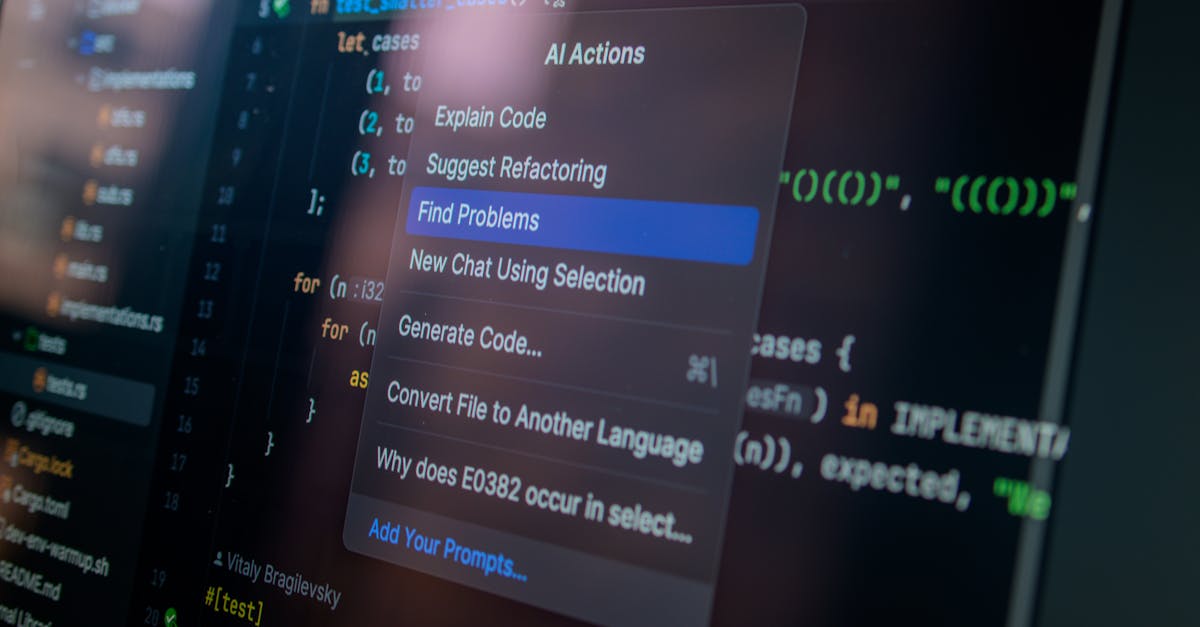
Photo by Daniil Komov on Pexels
AI coding agents have moved from novelty to necessity. In 2026, they don't just autocomplete your code — they plan features, debug across files, write tests, run commands, and ship pull requests while you sleep. The landscape has exploded: over a dozen serious contenders, each with different strengths. This guide cuts through the noise and gives you a clear, honest comparison of the best AI coding agents available right now.
What changed in 2026: AI coding agents now operate autonomously — reading your codebase, running tests, fixing failures, and iterating without human intervention. The shift from "autocomplete" to "autonomous engineer" happened faster than anyone predicted.
What Makes an AI Coding Agent Different?
Before we compare tools, let's clarify the distinction. A code autocomplete tool (like early Copilot) suggests the next line. An AI coding agent does something fundamentally different:
- Reads your entire codebase — understands project structure, dependencies, and conventions
- Plans multi-step changes — breaks down a feature into tasks, then executes them sequentially
- Uses tools — runs terminal commands, executes tests, searches files, reads documentation
- Iterates on errors — when a test fails, it reads the error, fixes the code, and tries again
- Works across files — a single instruction can modify 10+ files coherently
If you're still thinking of AI coding tools as "fancy autocomplete," you're about two years behind. For a broader look at the AI agent paradigm, see our guide on What Are AI Agents?.
The Top AI Coding Agents in 2026
1. Claude Code (Anthropic)
The terminal-native powerhouse. Claude Code runs in your CLI, has full access to your filesystem and shell, and operates with Claude's reasoning capabilities. It excels at large-scale refactors, debugging complex issues, and autonomous multi-file changes.
- Best for: Complex refactoring, full-stack development, autonomous task execution
- Interface: Terminal (CLI)
- Model: Claude Opus 4 / Sonnet 4
- Pricing: Usage-based via Anthropic API ($15/M input tokens for Sonnet)
- Standout feature: Deep codebase understanding + tool use (bash, file read/write, grep). Can run tests, fix failures, and iterate completely autonomously.
2. Cursor
The IDE that ate VS Code. Cursor forked VS Code and built AI-first features directly into the editor. Its "Composer" mode lets you describe changes in natural language and apply them across your project.
- Best for: Developers who want AI integrated into their editor workflow
- Interface: Desktop IDE (VS Code fork)
- Models: GPT-4o, Claude Sonnet, custom fine-tuned models
- Pricing: Free tier / Pro $20/month / Business $40/month
- Standout feature: Seamless in-editor experience. Tab completion + chat + multi-file composer in one UI.
3. GitHub Copilot (with Agent Mode)
The incumbent. GitHub Copilot introduced agent mode in late 2025, upgrading from autocomplete to autonomous coding. Tight integration with GitHub's ecosystem (PRs, Issues, Actions) gives it a unique advantage for teams already on GitHub.
- Best for: Teams deeply integrated with GitHub, enterprise environments
- Interface: VS Code extension, GitHub.com
- Models: GPT-4o, Claude Sonnet (switchable)
- Pricing: Free tier / Pro $10/month / Enterprise $39/month
- Standout feature: Native GitHub integration — can create PRs, respond to issues, and run in GitHub Actions as a CI agent.
4. Devin (Cognition)
The "AI software engineer" that made headlines. Devin operates in its own sandboxed environment with a browser, terminal, and editor. You give it a task, it works independently and comes back with a PR.
- Best for: Fully delegated tasks (bug fixes, small features, migrations)
- Interface: Web app + Slack integration
- Models: Proprietary
- Pricing: $500/month (team plan)
- Standout feature: True fire-and-forget autonomy. Assign a GitHub issue and Devin does the rest.
5. Windsurf (Codeium)
Codeium's AI IDE that competes directly with Cursor. Windsurf's "Cascade" feature provides an agentic flow where the AI proactively understands your intent and makes changes across your project.
- Best for: Developers wanting a polished IDE experience with strong free tier
- Interface: Desktop IDE (VS Code fork)
- Models: Multiple (GPT-4o, Claude, proprietary)
- Pricing: Free tier / Pro $15/month
- Standout feature: Cascade's proactive multi-file editing with strong context awareness.
6. Aider
The open-source terminal agent. Aider is a CLI tool that works with any LLM (OpenAI, Anthropic, local models) and integrates deeply with git. Every change is a commit, making it easy to review and revert.
- Best for: Open-source enthusiasts, developers who want full control, local model users
- Interface: Terminal (CLI)
- Models: Any (OpenAI, Anthropic, Ollama, etc.)
- Pricing: Free (open-source) + your API costs
- Standout feature: Git-native workflow — every edit is a commit. Supports any LLM provider.
7. Amazon Q Developer
AWS's answer to Copilot. Amazon Q Developer goes beyond code completion with autonomous agents for code transformation (Java upgrades, .NET migrations), security scanning, and operational troubleshooting.
- Best for: AWS-heavy shops, enterprise Java/.NET teams, large-scale migrations
- Interface: VS Code/JetBrains extension, AWS Console
- Models: Proprietary (AWS Bedrock)
- Pricing: Free tier / Pro $19/month
- Standout feature: Automated Java version upgrades and .NET migrations that actually work at scale.
Head-to-Head Comparison
| Agent | Autonomy | Multi-file | Terminal | Price |
|---|---|---|---|---|
| Claude Code | Very High | Excellent | Native | Usage-based |
| Cursor | High | Excellent | Integrated | $0-40/mo |
| GitHub Copilot | High | Good | Limited | $0-39/mo |
| Devin | Very High | Excellent | Sandboxed | $500/mo |
| Windsurf | High | Good | Integrated | $0-15/mo |
| Aider | High | Good | Native | Free + API |
| Amazon Q | Medium | Good | Limited | $0-19/mo |
How to Choose the Right AI Coding Agent
The "best" tool depends entirely on your workflow. Here's a decision framework:
Choose Claude Code if...
You want maximum autonomy and are comfortable in the terminal. You work on complex codebases where deep understanding matters more than UI polish. You want the agent to run tests, fix issues, and iterate without hand-holding.
Choose Cursor or Windsurf if...
You want AI woven into your editor. You prefer visual diffs, inline suggestions, and a familiar VS Code-like environment. Both are excellent for day-to-day coding where you're actively in the loop.
Choose GitHub Copilot if...
Your team lives on GitHub. The native integration with PRs, Issues, and Actions creates a seamless workflow. Enterprise features (SSO, audit logs, IP indemnity) matter for your org.
Choose Devin if...
You have well-defined tasks you want to fully delegate. Bug fixes, small features, code migrations — tasks where you'd rather review a PR than write the code yourself. Be prepared for the price tag.
Choose Aider if...
You want open-source, full control, and flexibility. You run local models or want to switch between providers freely. You value git-native workflows where every AI change is a reviewable commit.
The Real-World Impact: What AI Coding Agents Actually Change
Beyond the feature comparison, here's what actually shifts when you adopt an AI coding agent:
- Boilerplate disappears. CRUD endpoints, test scaffolding, config files — the agent generates them in seconds. You focus on architecture and business logic.
- Debugging gets faster. Instead of manually tracing stack traces, you paste the error and the agent finds the root cause across your codebase.
- Code reviews change. You're reviewing AI-generated PRs alongside human ones. The review skill becomes more important, not less.
- Learning accelerates. Junior developers pair with AI agents to understand unfamiliar codebases, patterns, and languages.
- Solo developers scale. One person with an AI coding agent can build and maintain what used to require a small team. That's the real revolution.
Pro tip: Don't pick just one. Many developers use Claude Code for complex autonomous tasks and Cursor for in-editor daily coding. The tools are complementary, not mutually exclusive.
What to Watch in 2026-2027
- Background agents: AI agents that run continuously, monitoring your repo for issues, updating dependencies, and fixing CI failures automatically.
- Multi-agent collaboration: Teams of specialized AI agents (one for frontend, one for backend, one for testing) working on the same project.
- Self-improving agents: Agents that learn your code style, preferred patterns, and past decisions to become more effective over time.
- Formal verification: AI agents that don't just write code but mathematically prove it's correct for critical systems.
The trajectory is clear: AI coding agents are becoming autonomous colleagues, not just tools. The developers who learn to work effectively with them will have an enormous productivity advantage. For more on how autonomous agents work, see our guide on Claude Code and Autonomous Agents.
FAQ
Will AI coding agents replace developers?
No. They replace repetitive coding tasks, not the judgment, creativity, and system thinking that developers provide. Think of them as power tools — a carpenter with a nail gun builds faster, but still needs to know where the nails go.
Are AI coding agents safe for production code?
As safe as you make them. Always review AI-generated code, run your test suite, and use the agent's changes as a starting point, not a final product. The best agents (Claude Code, Aider) integrate with git so every change is reviewable.
How much do AI coding agents cost per month?
Ranges from free (Aider, Copilot free tier) to $500/month (Devin). Most developers spend $20-50/month. Usage-based pricing (Claude Code) typically costs $30-100/month for active use depending on project complexity.
Can I use AI coding agents with private/proprietary code?
Yes. All major agents offer data privacy commitments. Claude Code and Aider run locally — your code never leaves your machine except for API calls. Enterprise plans for Copilot, Cursor, and Devin include data retention controls.
Which AI coding agent is best for beginners?
Cursor or GitHub Copilot. Both have gentle learning curves, visual interfaces, and generous free tiers. As you get more comfortable, try Claude Code or Aider for more autonomous workflows.
Stay ahead of the AI agent revolution
Get the latest AI agent news, tool reviews, and automation tips 3x/week.
Subscribe to AI Agents WeeklyNot ready to buy? Start with Chapter 1 — free
Get the first chapter of The AI Agent Playbook delivered to your inbox. Learn what AI agents really are and see real production examples.
Get Free Chapter →