AI Agent for Manufacturing: Automate Quality Control, Predictive Maintenance & Production Planning (2026)
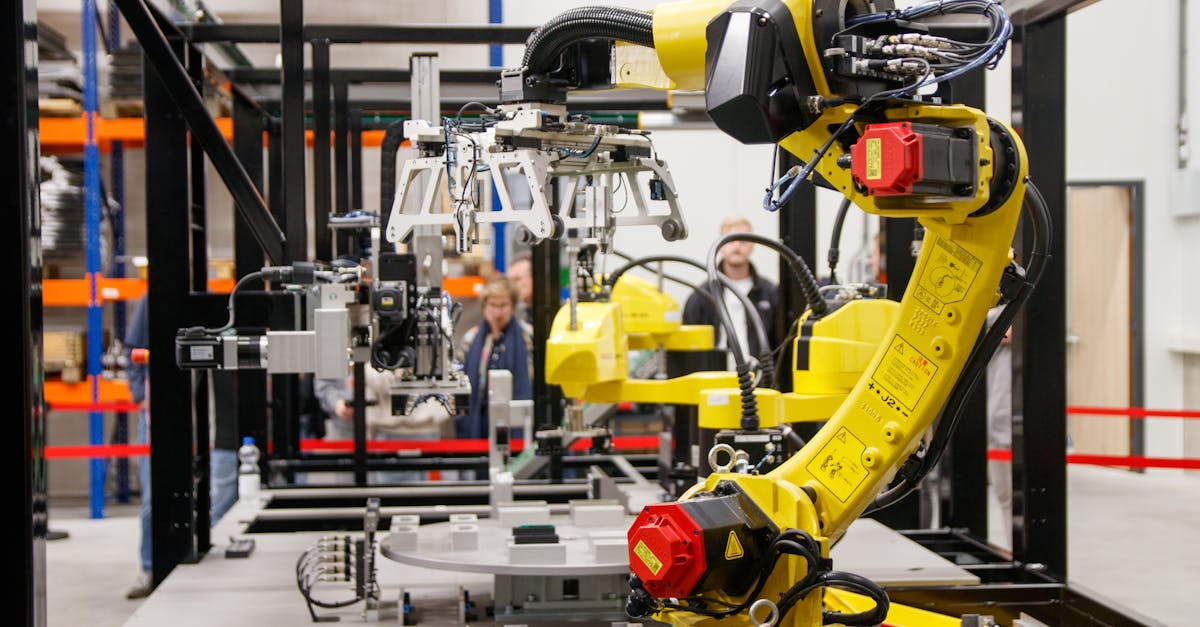
Photo by Freek Wolsink on Pexels
Manufacturing generates more data per facility than almost any other industry—sensors, cameras, PLCs, MES systems, ERP logs—yet most of it goes unanalyzed. AI agents change that by continuously monitoring equipment health, inspecting products at line speed, and optimizing production schedules in real time.
This isn't theoretical. Factories running AI-powered predictive maintenance see 30-50% fewer unplanned stops. Visual inspection agents catch defects humans miss at 10x the speed. Production scheduling agents reduce changeover time by 15-25%.
Here's how to build each one, with architecture patterns and code you can deploy.
1. Predictive Maintenance Agent
Unplanned downtime costs manufacturers an average of $260,000 per hour (Aberdeen Research). A predictive maintenance agent monitors sensor data—vibration, temperature, current draw, acoustic signatures—and predicts failures before they happen.
Architecture
The agent follows a three-stage pipeline:
- Data ingestion — Collect sensor readings from PLCs via OPC-UA or MQTT. Buffer in time-series DB (InfluxDB/TimescaleDB).
- Anomaly detection — Run isolation forest or autoencoder on feature windows. Flag deviations beyond 3-sigma from baseline.
- RUL estimation — Feed anomaly scores + historical failure data into a survival model (Weibull or LSTM) to estimate Remaining Useful Life.
import numpy as np
from sklearn.ensemble import IsolationForest
from datetime import timedelta

class PredictiveMaintenanceAgent:
    def __init__(self, asset_id, sensor_config):
        self.asset_id = asset_id
        self.config = sensor_config
        self.model = IsolationForest(
            contamination=0.01,
            n_estimators=200,
            random_state=42
        )
        self.baseline_trained = False

    def train_baseline(self, historical_readings):
        """Train on 30+ days of normal operation data."""
        features = self.extract_features(historical_readings)
        self.model.fit(features)
        self.baseline_trained = True

    def extract_features(self, readings, window=60):
        """Extract statistical features from sensor windows."""
        features = []
        for i in range(window, len(readings)):
            w = readings[i-window:i]
            features.append([
                np.mean(w), np.std(w), np.max(w) - np.min(w),
                np.percentile(w, 95), self.rms(w),
                self.kurtosis(w), self.peak_frequency(w)
            ])
        return np.array(features)

    def assess(self, current_readings):
        """Return health score and recommended action."""
        features = self.extract_features(current_readings)
        scores = self.model.decision_function(features)
        anomaly_ratio = (scores < 0).mean()

        if anomaly_ratio > 0.3:
            return {
                "status": "critical",
                "action": "Schedule immediate maintenance",
                "estimated_rul_hours": self.estimate_rul(scores),
                "confidence": 0.87
            }
        elif anomaly_ratio > 0.1:
            return {
                "status": "warning",
                "action": "Monitor closely, plan maintenance within 2 weeks",
                "estimated_rul_hours": self.estimate_rul(scores)
            }
return {"status": "healthy", "action": "Continue normal operation"}Train your baseline model on healthy operation data only. Don't include failure periods in training—the model should learn what "normal" looks like, not what "broken" looks like. This unsupervised approach works even when you have limited failure examples.
Sensor Fusion for Better Predictions
Single-sensor models miss subtle degradation patterns. Combine multiple signals:
- Vibration + temperature — Bearing wear shows in both channels before either alone crosses threshold
- Current draw + cycle time — Motor degradation increases current while slowing operations
- Acoustic + vibration — Gearbox defects produce characteristic frequency signatures in both domains
Multi-sensor models improve prediction accuracy by 20-35% vs single-sensor approaches (IEEE Industrial Electronics, 2025).
2. Visual Quality Inspection Agent
Human inspectors catch about 80% of defects on a good day. That drops to 60% after 4 hours of repetitive work. A computer vision agent maintains 99%+ accuracy at line speed—inspecting 200+ parts per minute without fatigue.
Architecture
- Image capture — Industrial cameras (GigE Vision) triggered by proximity sensors at inspection stations
- Preprocessing — Normalize lighting, align to reference template, crop ROI
- Defect detection — YOLOv8 or anomaly detection (if defect samples are rare) classifies defect type and location
- Decision + action — Accept, reject, or route to human review based on confidence threshold
class QualityInspectionAgent:
    def __init__(self, model_path, defect_classes, confidence_threshold=0.85):
        self.model = self.load_model(model_path)
        self.defect_classes = defect_classes
        self.threshold = confidence_threshold
        self.stats = {"inspected": 0, "passed": 0,
                      "rejected": 0, "review": 0}

    def inspect(self, image):
        """Inspect a single part image. Returns verdict + details."""
        self.stats["inspected"] += 1

        # Preprocess: normalize, align, crop
        processed = self.preprocess(image)

        # Run detection model
        detections = self.model.predict(processed)

        # Filter by confidence
        defects = [d for d in detections if d.confidence > self.threshold]

        if not defects:
            self.stats["passed"] += 1
            return {"verdict": "PASS", "defects": []}

        # Check if any defect is critical
        critical = [d for d in defects
                    if d.class_name in self.config["critical_defects"]]

        if critical:
            self.stats["rejected"] += 1
            self.trigger_rejection(image, defects)
            return {"verdict": "REJECT", "defects": defects}

        # Borderline: route to human review
        self.stats["review"] += 1
        return {"verdict": "REVIEW", "defects": defects}
The Cold Start Problem: Few-Shot Defect Detection
New products don't have thousands of labeled defect images. Two approaches work well:
- Anomaly detection — Train only on good parts. Anything that deviates from "normal" is flagged. Works great with autoencoders or PatchCore. No defect labels needed.
- Synthetic data augmentation — Generate defect images using domain randomization: overlay scratches, vary lighting, add noise. 500 synthetic + 50 real defect images often matches 2000+ real images.
A model that says 95% confidence but is actually right 80% of the time is dangerous in manufacturing. Always calibrate confidence scores with temperature scaling or Platt scaling on a held-out validation set. Then set your accept/reject/review thresholds based on calibrated probabilities, not raw model outputs.
3. Production Scheduling Agent
Manual production scheduling is a puzzle with hundreds of constraints: machine availability, material stock, operator skills, customer priorities, changeover times. Schedulers spend 4-6 hours daily juggling these. An AI agent handles it in seconds and adapts when disruptions hit.
Constraint-Aware Scheduling
class ProductionScheduler:
    def __init__(self, machines, operators, products):
        self.machines = machines      # Machine capabilities + availability
        self.operators = operators    # Skills + shift schedules
        self.products = products      # BOM, routing, cycle times

    def generate_schedule(self, orders, horizon_hours=72):
        """Generate optimized production schedule."""

        # Priority scoring: due date + customer tier + margin
        scored = self.score_orders(orders)

        # Build constraint model
        schedule = []
        machine_timeline = {m.id: [] for m in self.machines}

        for order in scored:
            # Find best machine-operator-slot combination
            candidates = self.find_feasible_slots(
                order,
                machine_timeline,
                constraints={
                    "changeover_min": self.get_changeover_time(order),
                    "material_available": self.check_material(order),
                    "operator_qualified": True,
                    "max_wip": self.config["max_work_in_progress"]
                }
            )

            if candidates:
                best = min(candidates, key=lambda c: c.completion_time)
                schedule.append(best)
                machine_timeline[best.machine_id].append(best)

        return self.optimize_changeovers(schedule)

    def handle_disruption(self, event):
        """Re-schedule when a machine breaks or priority order arrives."""
        if event.type == "machine_down":
            affected = self.find_affected_orders(event.machine_id)
            return self.reschedule(affected, exclude=[event.machine_id])
        elif event.type == "rush_order":
            return self.insert_rush(event.order, preempt=True)
Changeover Optimization
Changeover time between product runs is pure waste. The scheduling agent minimizes it by:
- Grouping similar products — Same material, same tooling, same settings = zero changeover
- Traveling salesman on changeover matrix — If you have 5 product types, there are 120 possible sequences. The agent finds the one that minimizes total changeover using nearest-neighbor heuristic + 2-opt improvement
- Learning actual changeover times — Planned vs actual gap is often 30%. The agent tracks real times and adjusts
Typical results: 15-25% reduction in total changeover time, which directly translates to 3-8% more production capacity without buying new equipment.
4. Digital Twin Simulation Agent
A digital twin is a real-time virtual replica of your factory floor. The AI agent uses it to answer "what if" questions: What if we add a second shift? What if machine 7 goes down during a rush order? What if we change the product mix?
Three Layers of Digital Twin
| Layer | Data Source | Update Frequency | Use Case |
|---|---|---|---|
| Physical | IoT sensors, PLCs | Real-time (1-10 Hz) | Live monitoring, anomaly detection |
| Process | MES, ERP, SCADA | Per-cycle / per-batch | Throughput analysis, bottleneck ID |
| Strategic | Historical + simulation | On-demand | Capacity planning, layout optimization |
class DigitalTwinAgent:
    def simulate_scenario(self, scenario):
        """Run what-if simulation on current factory state."""
        # Clone current state
        sim = self.factory_state.deep_copy()

        # Apply scenario changes
        for change in scenario.changes:
            if change.type == "machine_down":
                sim.disable_machine(change.machine_id, change.duration)
            elif change.type == "demand_spike":
                sim.increase_demand(change.product, change.multiplier)
            elif change.type == "add_shift":
                sim.add_shift(change.line_id, change.shift_config)

        # Run discrete event simulation
        results = sim.run(horizon=scenario.horizon_days)

        return {
            "throughput_change": results.throughput_delta,
            "bottleneck": results.bottleneck_station,
            "utilization": results.machine_utilization,
            "cost_impact": results.total_cost_delta,
            "recommendation": self.generate_recommendation(results)
}You don't need a full-factory digital twin on day one. Start with a single bottleneck station. Model its inputs, cycle times, failure modes, and buffer behavior. Once validated, expand to adjacent stations. A single-station twin delivering accurate predictions is worth more than a full-factory model that's 30% off.
5. Energy Optimization Agent
Energy is typically the third-largest manufacturing cost after materials and labor. Factories waste 15-30% of energy through suboptimal scheduling, idle equipment, and poor HVAC management. An AI agent continuously optimizes energy consumption.
Three Optimization Levers
- Load shifting — Move energy-intensive operations (furnaces, compressors, heavy presses) to off-peak rate windows. Savings: 8-15% on electricity costs.
- Equipment right-sizing — Run 3 compressors at 80% instead of 4 at 60%. The agent monitors demand and brings equipment on/offline. Savings: 10-20% for compressed air, HVAC, pumps.
- Process parameter tuning — Optimal temperature, pressure, and speed settings minimize energy per unit. The agent runs gradient-free optimization (Bayesian or evolutionary) constrained by quality requirements.
class EnergyOptimizer:
    def optimize_daily_schedule(self, production_plan, energy_rates):
        """Shift energy-intensive operations to minimize cost."""
        flexible_ops = [op for op in production_plan
                        if op.time_flexibility > 0]

        for op in flexible_ops:
            # Find cheapest time window that still meets deadline
            windows = self.find_valid_windows(
                op, energy_rates,
                earliest=op.earliest_start,
                latest=op.deadline - op.duration
            )
            best = min(windows, key=lambda w: w.energy_cost)
            op.scheduled_start = best.start_time

        savings = self.calculate_savings(production_plan, energy_rates)
        return production_plan, savings

    def manage_compressor_bank(self, demand_forecast):
        """Optimal compressor staging based on air demand."""
        # Each compressor has an efficiency curve
        # Running 3 at 80% beats 4 at 60% every time
        active = self.find_optimal_combination(
            self.compressors, demand_forecast,
            objective="minimize_kwh_per_cfm"
        )
        return active
Manufacturing plants implementing AI energy optimization report 12-25% reduction in energy costs, typically paying back the investment in 6-12 months.
6. Safety & Compliance Agent
Safety incidents and compliance violations are expensive—both in human cost and financial penalties. An AI agent monitors safety conditions continuously, something human safety officers can only do during audits.
What It Monitors
- PPE compliance — Computer vision detects missing hard hats, safety glasses, gloves, high-vis vests. Alert supervisor within seconds, not during next walk-through.
- Zone violations — Unauthorized personnel in restricted areas (robot cells, high-voltage, clean rooms). Integrated with access control and camera systems.
- Ergonomic risk — Pose estimation detects repetitive awkward movements (twisting, overhead reaching). Flags tasks for ergonomic review before injuries happen.
- Environmental compliance — Continuous monitoring of emissions, effluents, noise levels. Auto-generates compliance reports for EPA/OSHA.
Camera-based safety monitoring raises legitimate privacy concerns. Be transparent: tell workers exactly what's monitored and why. Process data for safety only—never for productivity tracking. Store only anonymized aggregate data, not individual tracking. Get union/worker council buy-in before deployment. The goal is to protect workers, not surveil them.
Platform Comparison
| Platform | Strength | Best For | Starting Price |
|---|---|---|---|
| Siemens MindSphere | Deep OT integration | Large Siemens-equipped plants | Custom ($$$$) |
| PTC ThingWorx | AR + digital twin | Complex assembly, aerospace | $30K/yr+ |
| AWS IoT SiteWise | Cloud-native, scalable | Multi-site, greenfield | Pay-per-use |
| Azure IoT + Digital Twins | Microsoft ecosystem | Hybrid cloud factories | Pay-per-use |
| Uptake | Asset analytics | Heavy industry, mining | Custom |
| Sight Machine | Manufacturing data platform | Process manufacturing | Custom |
| Custom (Python + open source) | Full control, no vendor lock | Specific use cases, POCs | Dev time only |
Build custom if you have one specific use case (e.g., visual inspection on one line), existing data infrastructure, and ML engineering talent. Buy platform if you need plant-wide coverage, IT/OT integration, and don't want to maintain infrastructure. Most factories start with a custom POC to prove value, then migrate to a platform for scale.
ROI Calculator
For a mid-size manufacturer (200 employees, $50M revenue):
| Agent | Annual Savings | Implementation Cost | Payback |
|---|---|---|---|
| Predictive Maintenance | $180K-$400K (reduced downtime) | $80K-$150K | 3-6 months |
| Visual Quality Inspection | $120K-$250K (fewer defects, less rework) | $60K-$120K | 4-8 months |
| Production Scheduling | $150K-$300K (higher throughput) | $40K-$80K | 2-4 months |
| Digital Twin | $100K-$200K (better decisions) | $100K-$250K | 6-18 months |
| Energy Optimization | $80K-$180K (lower energy bills) | $30K-$60K | 3-6 months |
| Safety Compliance | $50K-$150K (avoided incidents + fines) | $50K-$100K | 6-12 months |
Total potential: $680K-$1.48M annually for a $50M manufacturer. That's 1.4-3% of revenue returned through AI automation.
Implementation Roadmap
Phase 1: Quick Win (Weeks 1-4)
Start with predictive maintenance on your most critical machine. The one that hurts most when it goes down. Install vibration + temperature sensors, collect 2-4 weeks of baseline data, train an anomaly detection model. You'll have a working prototype in one month.
Phase 2: Expand Coverage (Months 2-3)
Roll out predictive maintenance to 5-10 more assets. Add visual quality inspection on your highest-defect production line. Start collecting data for the scheduling agent.
Phase 3: Integrate (Months 4-6)
Connect agents to MES/ERP systems. Deploy the production scheduling agent. Build dashboards for plant managers. Start energy optimization.
Phase 4: Optimize (Months 6-12)
Deploy digital twin for your main production line. Add safety monitoring. Close the loop: let agents take automated actions (with human approval for high-impact decisions).
The biggest technical barrier isn't AI—it's getting data from the factory floor (OT) into your AI systems (IT). OT networks are isolated for good reason (security, reliability). Use edge gateways that sit on the OT network, preprocess data locally, and push to IT systems over a one-way data diode. Never give cloud systems direct access to PLCs.
Common Mistakes
- Skipping data quality — Sensor data is noisy, timestamped inconsistently, and full of gaps. Spend 60% of your time on data pipeline reliability before touching ML.
- Over-automating decisions — Let the AI recommend, but keep humans in the loop for production stops, major schedule changes, and safety actions. Trust is earned gradually.
- Ignoring domain expertise — Your maintenance technicians know things no dataset captures. Build the agent to augment their expertise, not replace it. Let them provide feedback that improves the model.
- Vendor lock-in — Choose platforms with open APIs and standard protocols (OPC-UA, MQTT). Your data should be portable.
- Pilot purgatory — Prove value fast on one machine, then scale. Don't spend 18 months building a perfect system for the entire plant.
Build Your AI Agent Strategy
Get our complete playbook for building and deploying AI agents, including manufacturing templates, integration patterns, and security checklists.
Get The AI Agent Playbook — $19